
Need one delayed text?
Use Apple Send Later or Android schedule send.
Text reminder guide
If you want a text to arrive later, you have two different jobs: schedule an outgoing message to yourself, or use a reminder service that texts you back. Here is what each option actually looks like.
Use Apple Send Later or Android schedule send.
Use Reminders or Calendar.
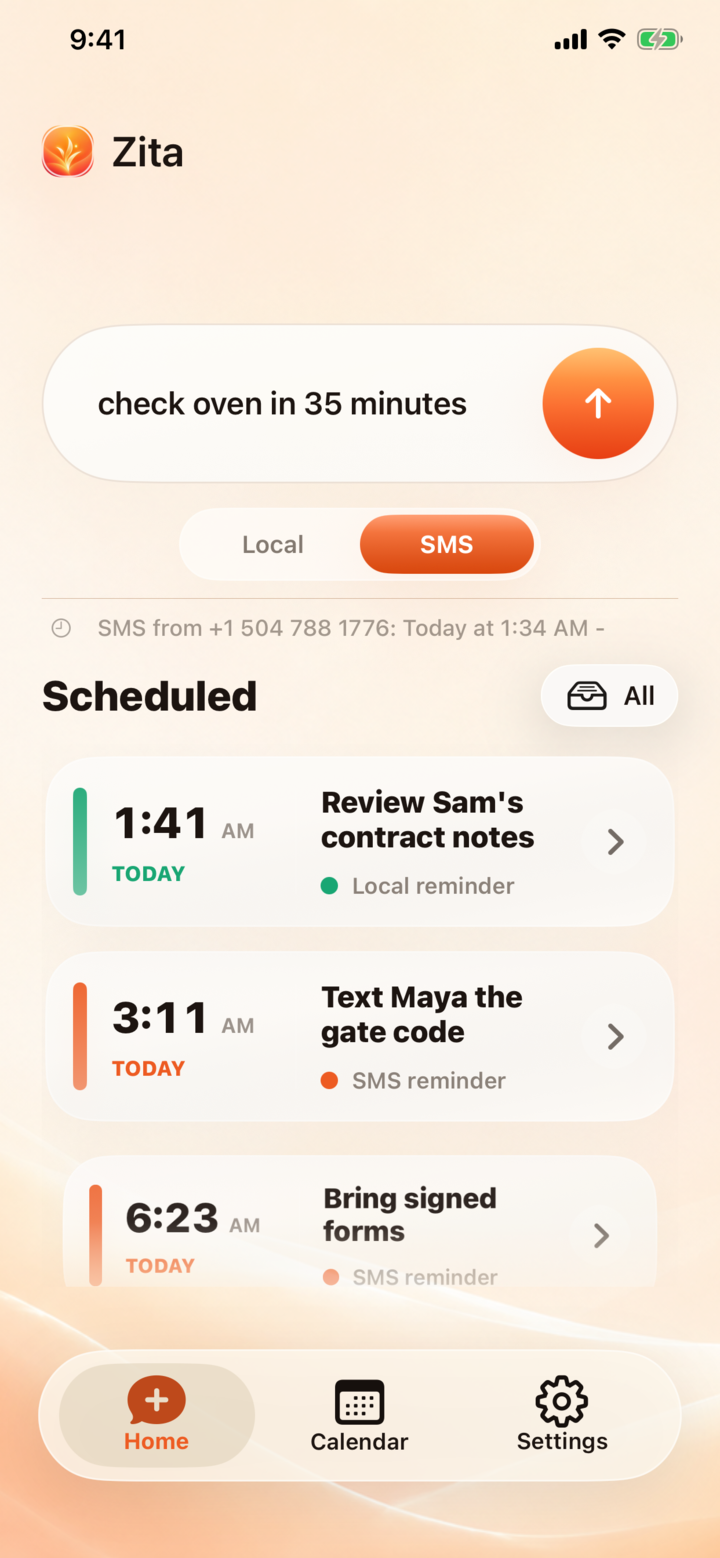
Use Zita. This is the real SMS reminder path.
Examples
Option 1
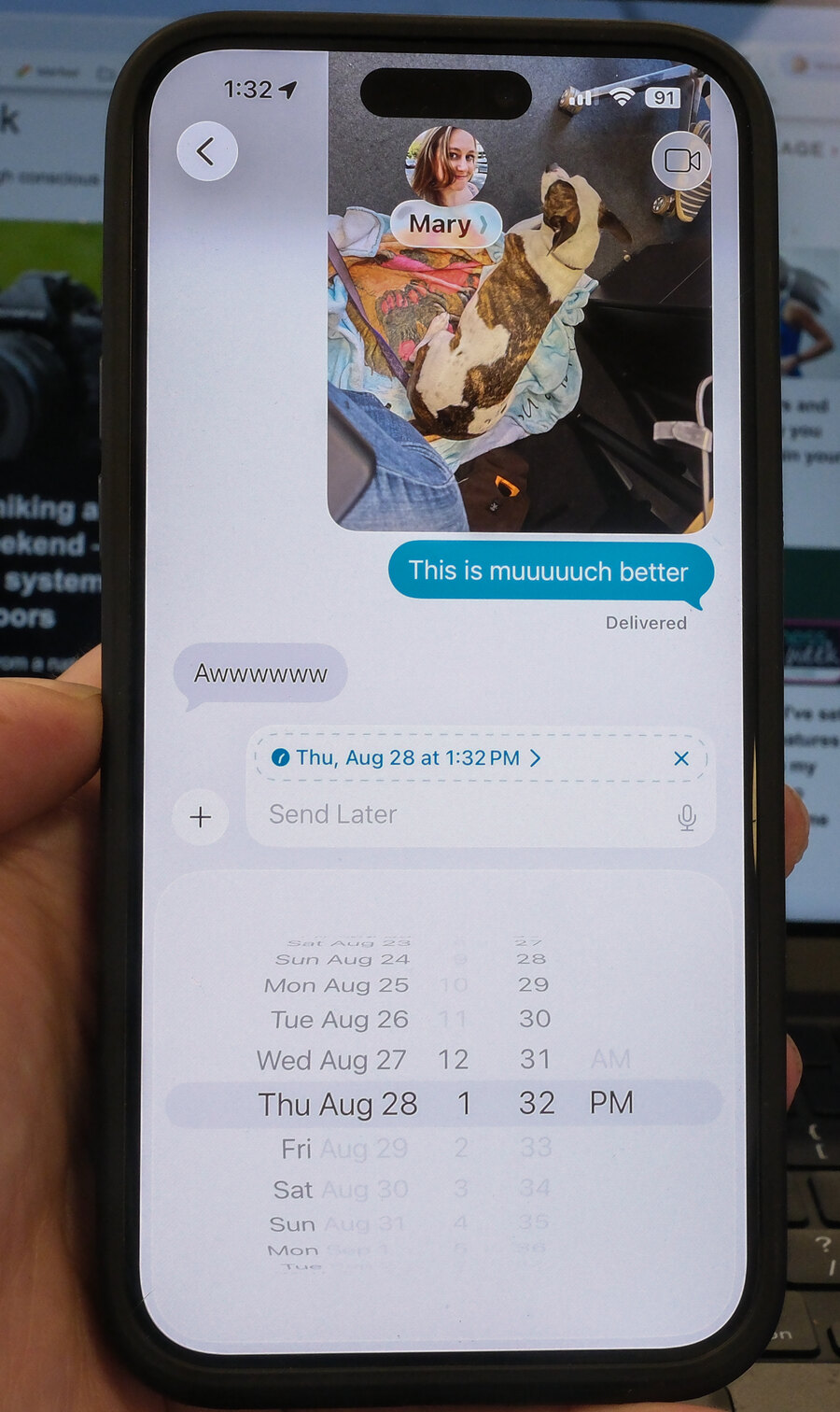
Use this when the reminder is really just one exact message you want to send later. Start a Messages thread with yourself, write the note, choose Send Later if it is available, then pick the time.
Best for: one-off delayed messages. Limit: it feels like a scheduled draft, not a reminder inbox.
Option 2
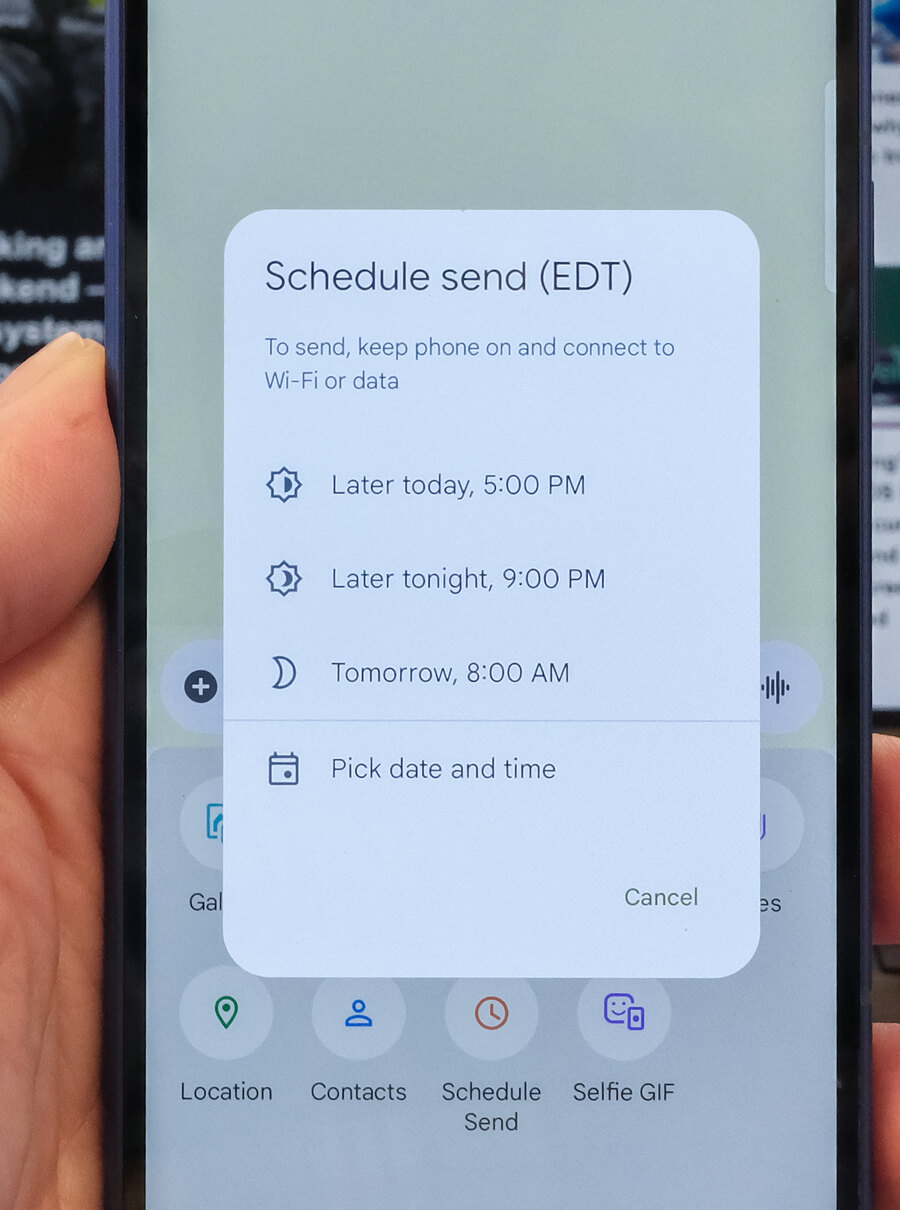
Many Android phones with Google Messages support scheduled sending from the compose screen. Write a text to yourself, open the send options, and choose a delivery time.
Best for: Android users who want a native scheduled message. Limit: it still requires manual date and time selection.
Option 3
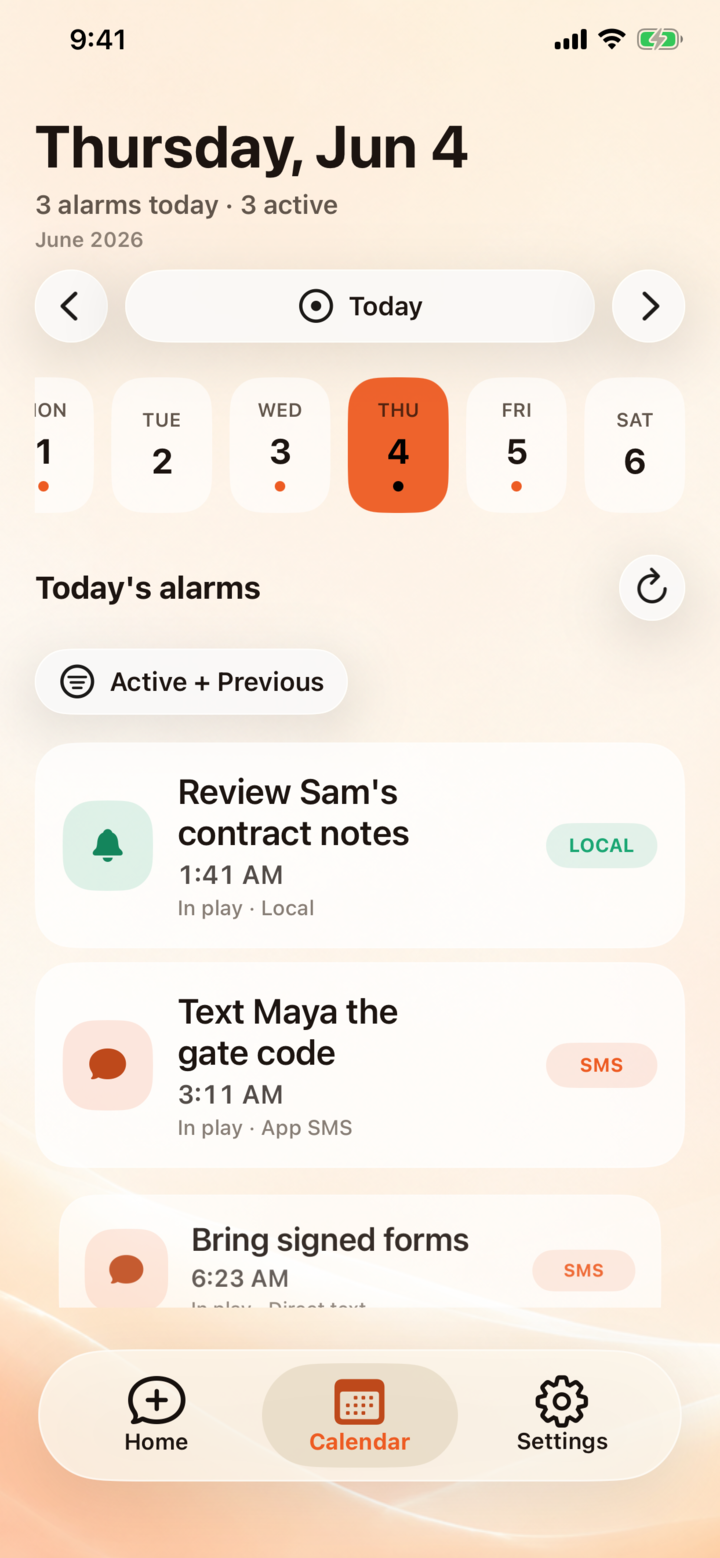
This is the right move when the task belongs in a list, a calendar, or a recurring routine. It is not always a text, but it can be reliable for appointments and household tasks.
Best for: calendar-shaped tasks. Limit: the alert can disappear into your notification stack.
Best fit
Zita is the cleaner answer when you do not want to build a fake conversation with yourself or move the thought into a calendar. Text the task and timing in ordinary words. Zita confirms it, holds it, and brings it back later as SMS.
Best for: quick capture, messy thoughts, errands, trials, parking, callbacks, and anything you want to land in Messages.
FAQ
You can schedule a message to yourself, create a reminder notification, use a calendar alert, or text Zita the task and timing so the reminder comes back later as SMS.
Yes, if Send Later is available in your Messages thread. It is useful for one message, but it behaves like a scheduled outgoing text, not a reminder service.
Not always. A scheduled text sends one message at a selected time. A reminder service is better when you want plain-language capture, confirmation, and a reminder that returns as an incoming text.
For a true text reminder, Zita is the simplest option: send the task and timing in one message, and Zita brings it back later as SMS.
If you want to send one exact message at one exact time, native scheduling is fine. If you want a reminder that starts as a messy thought and comes back as an obvious text, Zita is better suited to the job. The difference is small when you set it up, but big when the reminder arrives.
Use Zita when the reminder belongs in the same place you already check all day: your messages.